

Last Updated: October 28, 2026
Quick Summary
To wash graphic tees without damaging the print, turn them inside out, wash them in cold water on a gentle cycle, and use a mild liquid detergent. Skip bleach and fabric softener, then hang the shirts to air dry instead of using the dryer.
- Turn every printed shirt inside out so the design rubs against cotton, not other clothes.
- Use cold water, since hot water loosens ink and speeds up fading and cracking.
- Choose a gentle cycle with low spin and light soil settings to reduce agitation.
- Use about half the label's detergent amount and skip bleach, fabric softener and dryer sheets.
- Air dry shirts inside out on a padded hanger, away from direct sun.
Table of Contents
- Why Graphic Tee Prints Fade and Crack in the Wash
- Turn Graphic Tees Inside Out Before Every Wash
- Best Water Temperature for Washing Graphic Tees
- How to Wash Printed T-Shirts: Cycle, Detergent and Load Settings
- How to Dry Graphic Tees Without Damaging the Print
- How to Iron a Shirt With a Graphic Print
- Stain Removal and Fixing Existing Print Damage
- Your Next Step: Build a Wash Routine for Your HeroX Tees
- Frequently Asked Questions
Why Graphic Tee Prints Fade and Crack in the Wash
Washing a graphic tee the wrong way can affect the print. This guide explains ways to care for graphic tees.
Most print damage comes from three things: heat, friction and harsh chemicals. Hot water loosens the ink, a tumbling drum rubs the print against other clothes, and bleach strips color. Each one works on the print a little at a time.
Good care is mostly about avoiding these three problems. The steps below show how.
- Heat weakens the bond between ink and fabric
- Friction wears away the surface of the print
- Harsh detergents and bleach break down the color
Turn Graphic Tees Inside Out Before Every Wash
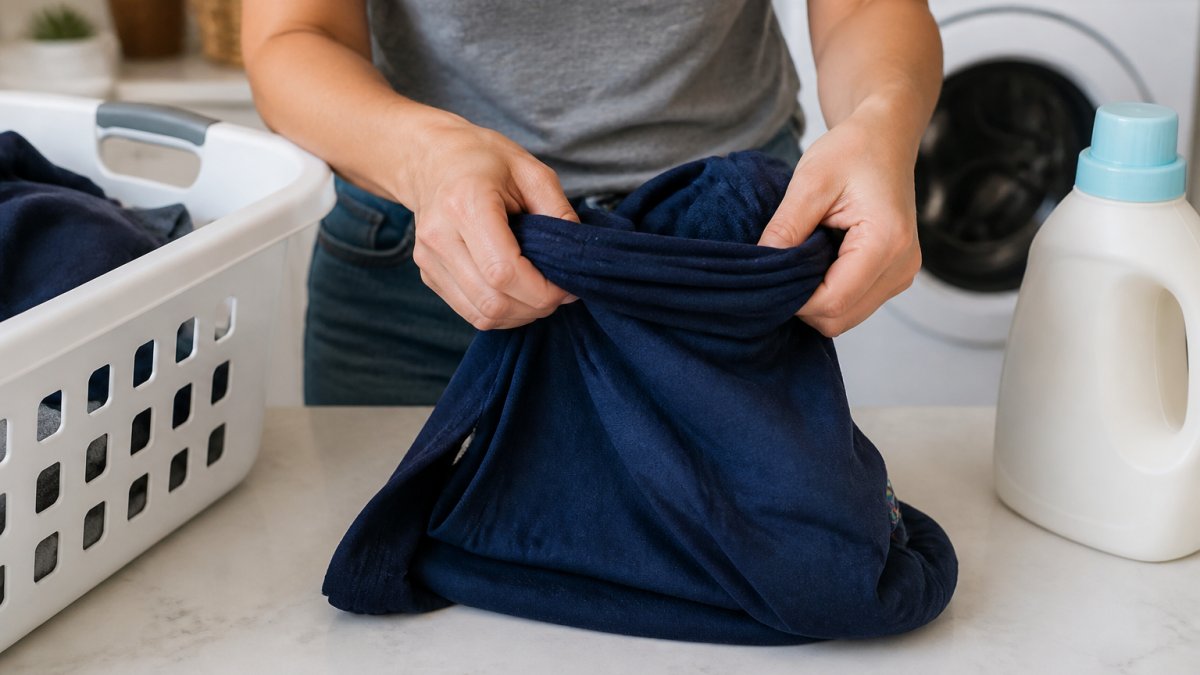
Turning a graphic tee inside out is the easiest way to protect the print. The print faces the inside of the drum, so it rubs against the cotton of the shirt instead of against other clothes or the drum walls.
Take a few seconds before each load. Flip every printed shirt, zip or fasten any hoodies, and close any pockets.
Watch out: Skipping this step on dark or heavily printed shirts is the most common cause of visible wear on the front design.
Best Water Temperature for Washing Graphic Tees
Cold water is the safest choice for most graphic tees. Cool or cold water keeps the ink from loosening, which helps the print last longer and keeps the colors bright.
Warm and hot water can speed up fading and cracking. Save hot water for white cotton items that need sanitizing, and keep printed shirts out of those loads.
- Use cold water for printed tees and dark shirts
- Use cool water if the care label allows it
- Avoid hot water, which speeds up ink breakdown
How to Wash Printed T-Shirts: Cycle, Detergent and Load Settings
A gentle cycle is only half the story. The settings you choose and how you build the load determine how much friction and agitation the print actually sees. Use this as a practical checklist for your machine.
Cycle and spin
- Choose the delicate, gentle, or hand-wash cycle. These cycles use slower agitation and shorter wash times.
- Set the spin speed to low or medium. A high-spin cycle presses the shirt against the drum and other garments, which is a common cause of cracking along the print edges.
- If your machine has a soil-level setting, choose light soil. Heavy-soil settings extend agitation and increase wear.
- Skip extra rinse cycles unless you have sensitive skin or visible detergent residue; each extra cycle adds agitation.
Detergent
- Use a mild liquid detergent. Liquids dissolve more readily in cold water than powders, which can leave grit that abrades the print.
- Use less than the label suggests, roughly half the recommended amount for a normal load. Excess detergent leaves residue that makes prints feel stiff and look dull.
- Skip bleach, fabric softener, and dryer sheets. Fabric softener coats fibers and can make some prints feel slick and wear faster; dryer sheets leave a film that can affect vinyl and heat-transfer prints.
- If you have hard water, a small amount of water softener can help detergent rinse cleanly without extra agitation.
Load size and load partners
- Keep the drum loosely filled, about two-thirds full at most. A packed machine rubs shirts together and against the drum, which leads to fading and cracking.
- Wash printed tees with other soft garments: other tees, lightweight cottons, or synthetic blends. Avoid towels, jeans, and garments with zippers, buttons, or hooks, which act like sandpaper on a print.
- Fasten zippers and close hooks before washing to keep them from snagging prints.
- Wash graphic tees separately from heavy items like hoodies with metal grommets or workwear.
Practical settings by machine type
- Top-loaders with an agitator: use the gentle cycle and a low water level that still allows the shirt to move freely. An agitator can abrade prints, so consider a mesh laundry bag for valuable shirts.
- Front-loaders: use the delicate cycle and a low spin speed. Front-loaders are generally gentler because they tumble rather than agitate.
- High-efficiency machines: use the appropriate HE detergent and avoid overloading, which can prevent proper rinsing.
The settings you choose for each load decide how much friction and agitation a graphic print takes. Here is a quick reference.
Men's Disney MICKEY WASH T-Shirt →
| Setting | Recommended choice | Why it matters |
|---|---|---|
| Cycle | Delicate, gentle or hand-wash | Slower agitation and shorter wash times |
| Spin speed | Low or medium | High spin presses the print against the drum |
| Soil level | Light | Heavy settings extend agitation |
| Detergent | Mild liquid, about half the label amount | Liquids dissolve cleanly; excess leaves residue |
| Softener and bleach | Skip both | Coats fibers and can strip color |
| Drum fill | About two-thirds full at most | Packed loads rub shirts together |
| Load partners | Other tees, light cottons or synthetic blends | Towels, jeans and zippers act like sandpaper |
How to Dry Graphic Tees Without Damaging the Print
Air drying is the best way to protect a graphic tee. Hang the shirt inside out on a padded hanger or lay it flat on a towel, away from direct sun.
Dryer heat is the biggest threat to prints. High heat can crack the ink and make the design look dull. If you must use a dryer, choose the lowest heat setting and remove the shirt while it is still slightly damp.
Hang shirts while they are still a little wet to reduce wrinkles and stretching.
How to Iron a Shirt With a Graphic Print
Ironing directly on a printed design can melt or crack the ink. Always turn the shirt inside out before you iron it.
Set the iron to a low or medium heat setting and avoid steam on the print side. Place a thin cloth over the design if you need to press the front.
Stain Removal and Fixing Existing Print Damage
Stains and existing damage are where most graphic tees are lost, not in the wash itself. The key is to treat the stain without scrubbing the print and to know which damage can be slowed versus which cannot be reversed.
Print-safe stain removal by stain type
Act quickly, and always test any product on an inside hem first.
- Oil and grease (food, lotion, sunscreen): Blot up excess with a paper towel. Apply a small amount of mild liquid detergent or a drop of dish soap directly to the stain, not the print. Let it sit for 5-10 minutes, then rinse with cold water. Avoid rubbing; blot instead.
- Sweat and body oils: These often cause yellowing at the collar and underarms. Make a paste of mild detergent and cold water, apply to the fabric (not the print), and let it sit for 15 minutes before washing. For persistent odor, a soak in cold water with a small amount of white vinegar can help, but keep vinegar off heat-transfer and vinyl prints.
- Food and drink (coffee, wine, juice): Rinse from the back of the stain with cold water to push it out rather than into the fabric. Apply mild detergent and blot. Avoid hot water, which can set many stains.
- Ink and marker: Dab with a small amount of isopropyl alcohol on a cotton swab, working from the outside of the stain inward. Keep alcohol off the print itself, as it can dissolve some inks.
- Mud and dirt: Let the mud dry, then brush off as much as possible before washing. Rinsing wet mud can push it deeper into the fabric.
Troubleshooting existing print damage
Not all damage is reversible. Here is what you can realistically do:
- Cracking: Cracks in screen prints and heat transfers are usually permanent. You can slow further cracking by washing inside out in cold water, avoiding the dryer, and never ironing directly on the print. A low-heat iron with a pressing cloth over the print can sometimes smooth minor cracks, but it will not restore the original look.
- Peeling: Peeling heat transfers and vinyl prints are generally not repairable once lifted. You can slow peeling by hand washing in cold water and air drying. Do not pull on lifted edges, which accelerates peeling.
- Fading: Fading is usually permanent. To slow it, wash inside out in cold water, avoid direct sun when drying, and skip bleach and harsh detergents. Some color-restoring washes can help slightly, but results vary.
- Sticky or tacky prints: Stickiness often comes from heat exposure or fabric softener residue. Wash the shirt inside out in cold water with mild detergent and air dry. Avoid stacking shirts with sticky prints against each other.
Your Next Step: Build a Wash Routine for Your HeroX Tees
A simple routine keeps your favorite shirts looking new. Shop mineral wash crop tops with Minnie Mouse bow prints that suit this care routine. Turn them inside out, wash in cold water on a gentle cycle, skip the dryer and hang them to air dry.
The Men's Disney MICKEY WASH T-Shirt features Mickey Mouse, Minnie Mouse, Pluto, and their friends. The Men's Star Wars Tie Fighter T-Shirt features TIE Fighter blueprints and is 100% cotton.


HeroX Apparel offers clothing and accessories featuring iconic characters from Marvel, Disney, Star Wars, and Pixar.
Frequently Asked Questions
How should I wash printed t-shirts?
Turn the shirt inside out, wash it in cold water on a gentle or delicate cycle, and use a mild liquid detergent in a small amount. Keep it away from bleach and fabric softener, which can break down the ink over time. Wash graphic tees with similar colors and avoid stuffing the drum, since heavy loads increase friction on the print. Air drying or a low-heat tumble dry will protect the print far better than high heat.
Does hot water ruin graphic tees?
Yes, hot water is one of the most common causes of print damage. Heat softens the ink binder and makes the print more likely to crack, peel, and fade, especially on screen-printed designs. Cold or cool water keeps the ink bonded to the fabric and reduces color bleeding. Hot water is only worth using for heavily soiled white garments, and even then it is best reserved for shirts without prints.
Can you put graphic tees in the dryer?
You can, but high dryer heat is the main reason prints crack and fade. Use the lowest heat setting or an air-fluff cycle, and take the shirt out while it is still slightly damp. Turning the shirt inside out in the dryer also helps protect the design. Air drying flat or on a hanger is the safest option, particularly for newer or more detailed prints.
Can you iron a graphic tee without damaging the print?
Yes, if you iron carefully. Turn the shirt inside out and set the iron to a low or medium setting without steam. Never iron directly over the print. Place a thin cotton cloth over the design if you must press near it, and avoid resting the hot iron on the graphic for long. Ironing the inside of the shirt is usually enough to remove wrinkles without affecting the ink.
